What it is
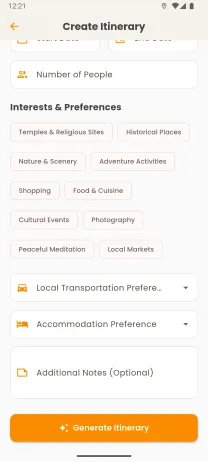
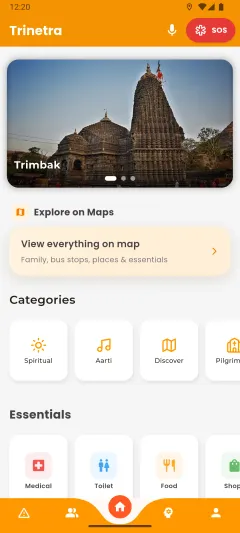
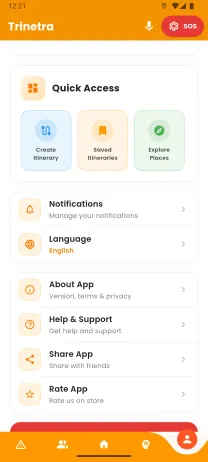
These are three real screens from Trinetra, our pilgrimage planner for Nashik. Each one is a flat screenshot, but it tilts toward your pointer as if its cards and buttons sat at different heights.
We use the effect in the gallery on the Trinetra page. Turn on Show depth map to see the depth that each screen uses.
How it's made
- A depth map for each screen · Each screenshot has a small depth file, a list of boxes for its header, cards and buttons, each at its own distance. We draw the boxes into a soft greyscale map, where white is nearest.
- A shader that reads depth · The screenshot and its map go to one shader. As the screen tilts, near parts move further than far parts, so the flat image reads as layers. Show depth map draws the map in place of the screen.
- Focus like a lens · Parts away from the focus depth blur a little. On the Trinetra page the focus follows the depth under your pointer. Here the Focus slider holds it at one depth.
- Full quality only · The screens tilt in Full quality. In Lite, Static, with reduced motion or without WebGL2, you see the plain screenshot, which is the real image.
What we learned
A list of boxes, drawn into a soft greyscale map, was enough to make a flat screenshot read as layers.
If motion bothers you
With reduced motion turned on, the screens stay flat and the sky stays still. Every control works with a keyboard, and Pause motion stops the tilt at any time.
